NMRoads2.0.1
Publisher Description
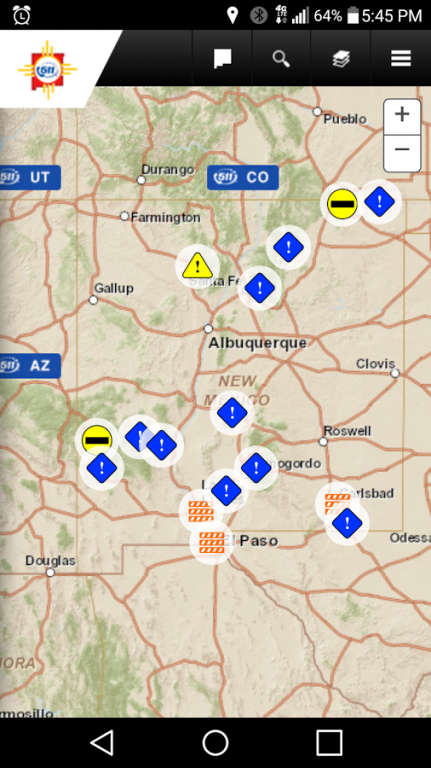
The NMDOT Travel App provides New Mexico and interstate motorists with mobile access to up-to-date travel and traffic information from the New Mexico Department of Transportation’s, Intelligent Transportation Systems Bureau (ITS).
Available information includes:
A scrollable, fully zoom able, interactive map display.
Live camera views of roadway/traffic conditions at over 70 locations.
Instant access to more than 3 dozen electronic message boards relaying traffic information.
Travel-times for drive-time commuters in the Albuquerque metro area.
Alerts to crashes, road closures or other problem affecting traffic flows.
Links to NM Rail Runner Express commuter train services and schedules
Park and Ride locations for commuters in the Albuquerque and Santa Fe metro areas.
Bicycle Routes and Trucking Information.
Direct access to National Weather Service forecasts, maps and radar data.
System Requirements:
Screen resolution should be at least 480x800.
Processor speed of at least 1Ghz is recommended.
Main memory of at least 512 MB is recommended.
About NMRoads
The company that develops NMRoads is NMRoads. The latest version released by its developer is 2.0.1. This app was rated by 1 users of our site and has an average rating of 3.0.
To install NMRoads on your Android device, just click the green Continue To App button above to start the installation process. The app is listed on our website since 2016-05-17 and was downloaded 16 times. We have already checked if the download link is safe, however for your own protection we recommend that you scan the downloaded app with your antivirus. Your antivirus may detect the NMRoads as malware as malware if the download link to air.NMRoadsApp is broken.
How to install NMRoads on your Android device:
- Click on the Continue To App button on our website. This will redirect you to Google Play.
- Once the NMRoads is shown in the Google Play listing of your Android device, you can start its download and installation. Tap on the Install button located below the search bar and to the right of the app icon.
- A pop-up window with the permissions required by NMRoads will be shown. Click on Accept to continue the process.
- NMRoads will be downloaded onto your device, displaying a progress. Once the download completes, the installation will start and you'll get a notification after the installation is finished.
Version History
version 2.0.1
posted on 2016-05-17
Interface updates, scaling fixes, browser pop-out fixed
version 1.2.3
posted on 2012-06-25
Several fixes and updates
